
Supplier applications open
For producers
You make it. Sellers sell it.
Making a good product is not enough; it also has to reach buyers. In the Supply Network you open your product once. Sellers promote and sell it in their own stores. You accept and ship the orders.
- Add it once
- No ad budget needed
- Phone and e-mail hidden
In the panel
Apply, open your product, ship the order.
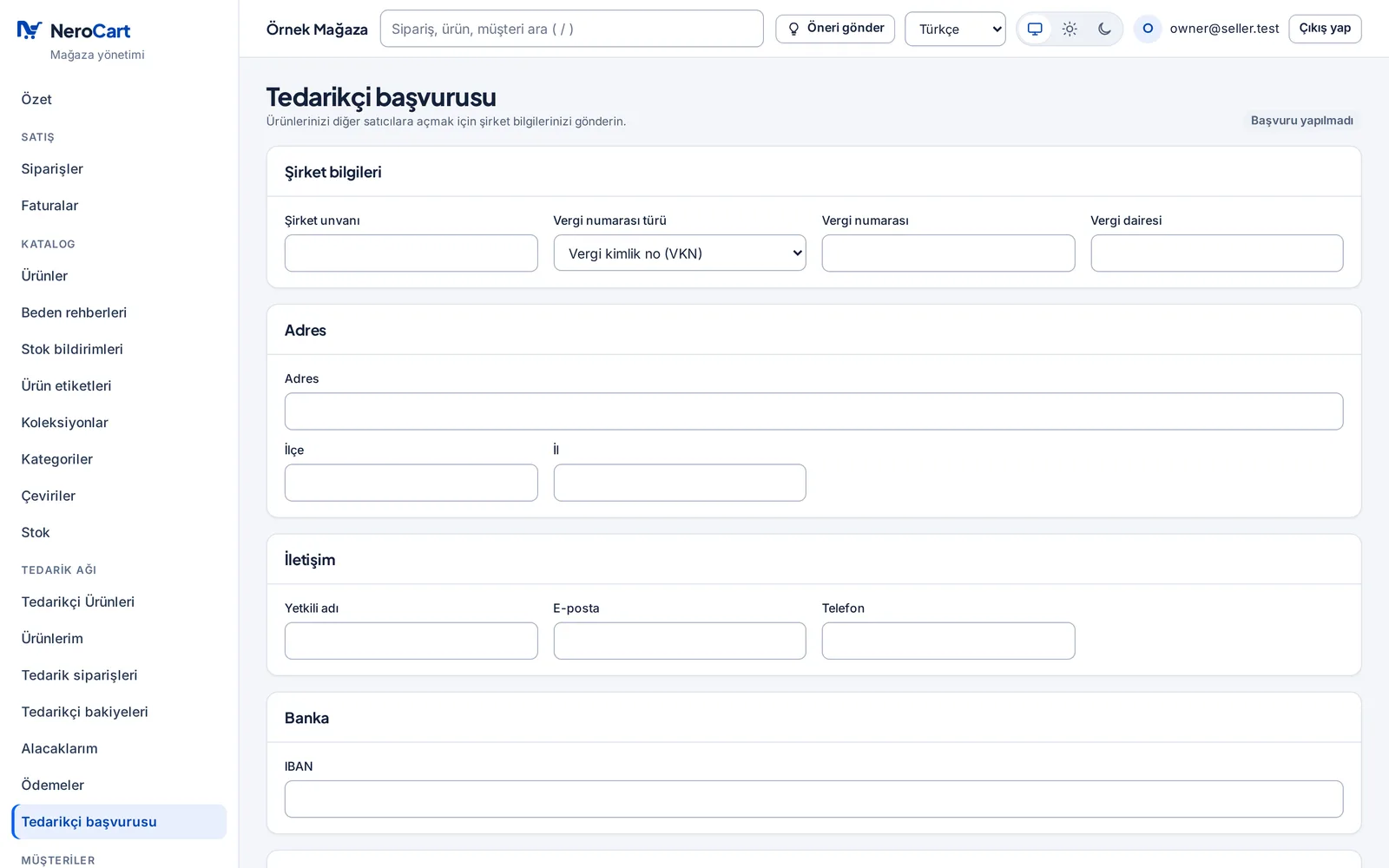
Supply Network › Supplier application
You apply with a single form
Company name, tax number (VKN, or TCKN for a sole trader) and tax office, address, contact person, IBAN and documents such as the tax certificate. Numbers and the IBAN are checked as you type; NeroCart reviews and approves the application.
My products
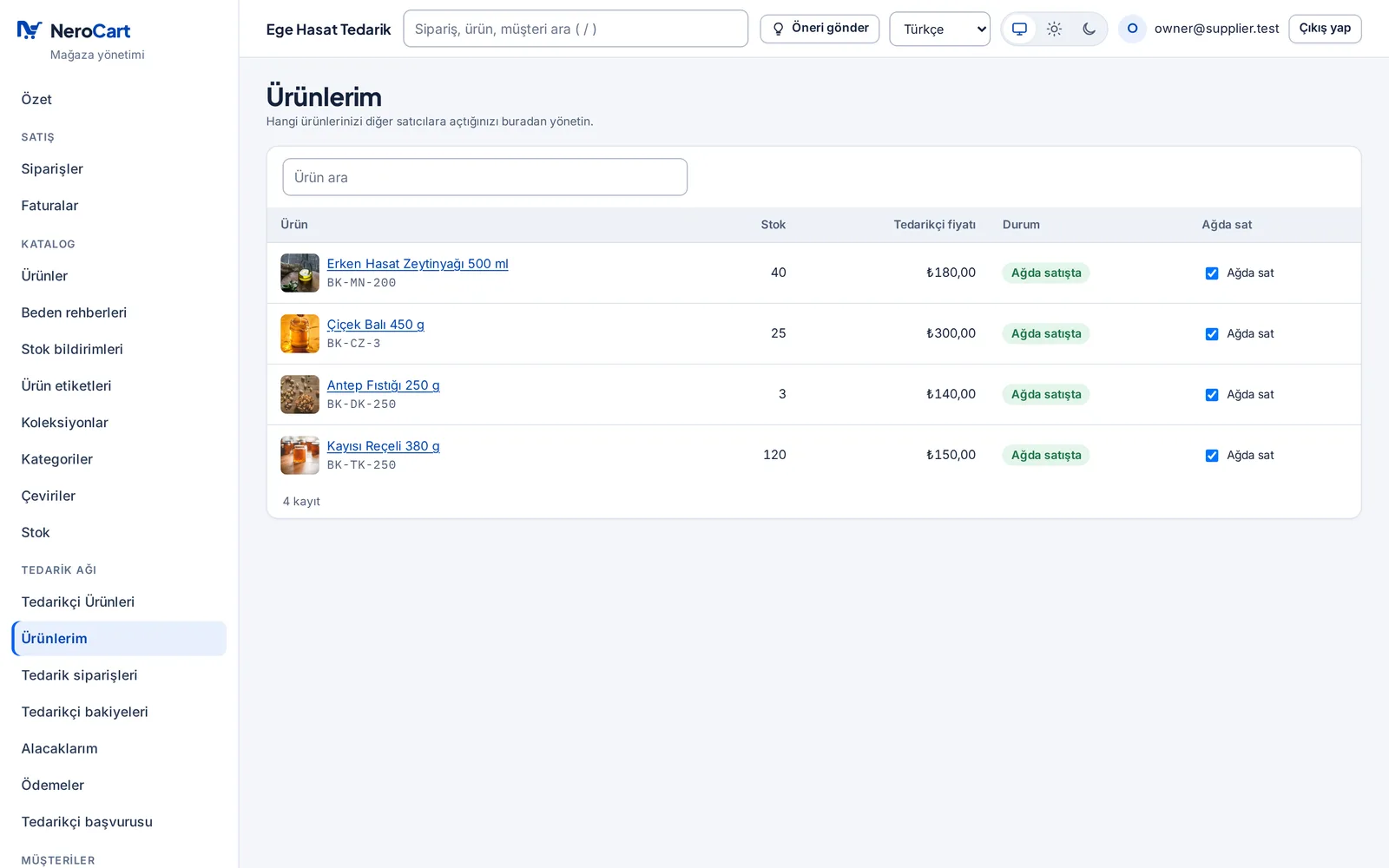
You choose which products the network sells
In the product page's Supply network panel you enter the supplier price (excl. VAT), a suggested retail price, the minimum order and the preparation time. You can keep stock back from the network and announce a price rise in advance.
In the Supply Network
All that is left for you: making.
All of this is in the panel today.
- Live
You add a product once
Your products and photos stay in your own store; only what you open goes to the network.
- Live
Sellers do the promotion
Ads and talking to customers are the seller’s job. You need no ad budget.
- Live
You approve each order
Accept or decline each order, or have them accepted automatically.
- Live
You print the label in the panel
Print the label from the panel, hand over the parcel and mark it shipped.
- Live
Customer contact details stay private
On an order you see the seller, the district and the province; the customer's phone, e-mail and the retail price never reach you.
- Live
You see who owes you what
What each seller owes you, with a statement and CSV; confirm or dispute each payment.
Example
Ayşe’s olive oil
Before
One wholesaler buys all her oil
Ayşe bottles a few thousand bottles of olive oil a year in the Aegean. She has no sales team and no ad budget. A local wholesaler buys all of it.
Example · fictionalWith the Supply Network
Her oil now sells in many stores
- She applies and, once approved, opens her oil to the network.
- A gourmet shop and a store that sells abroad list it.
- When an order comes in, she accepts it, prints the label and ships.
- The sellers pay what they owe; she confirms it under My receivables.
With your own store too
Sell in the network and in your own store.
With the same package you open a store on your own domain, take card and bank-transfer payments and send invoices. You can also list your products on marketplaces.
Questions producers ask
What do I need to join as a supplier?
You apply in the panel of the store the NeroCart package opens for you, under Supply Network › Supplier application: company details, tax number, IBAN and documents such as the tax certificate. NeroCart reviews the application; once approved, you can open your products to the network.
How much commission will I pay?
0 % today: NeroCart takes no commission on Supply Network sales, and joining needs no separate package.
How do I get paid?
Today each seller pays you what it owes and records it in the panel; you confirm or dispute the payment under My receivables. NeroCart holds no money. Automatic splitting through a licensed payment institution is coming soon.
Will I see the customer's details?
Your order screen shows only the district and province of the delivery; the phone and e-mail are not shown to you. The parcel label carries the name and address the carrier needs.
Sources
- 6698 sayılı Kişisel Verilerin Korunması Kanunu, md. 4 (mevzuat.gov.tr) (opens in a new tab) — the “relevant, limited and proportionate” principle · accessed 9 Oct 2026
- 6493 sayılı Ödeme Hizmetleri ve Elektronik Para Kuruluşları Hakkında Kanun, md. 13 ve 14 (mevzuat.gov.tr) (opens in a new tab) — only banks and licensed payment institutions may provide payment services · accessed 9 Oct 2026